
Updated June 2026: This post has been updated to reflect how AI sourcing tools and generative search are changing how recruiters can discover candidates. The original advice still stands. There’s now an additional layer to it.
Do you want to be found online, or in this case, on LinkedIn?
An optimized online presence will increase your visibility and appearance in search results. This is the simplest, most passive action item you can take so recruiters and employers can approach you with inbound leads of job opportunities.
And this advice still holds, but a new player entered the chat since 2023. Let’s go over what has changed and what else may be weighing into how and when you are found.
Let me dive deeper into how crucial the content you place online can affect the quantity and quality of opportunities that come to you.
First, let’s hone in on Sourcing. Some recruiters conduct their own sourcing and research, while some companies have paid resources solely dedicated to sourcing. These professionals research and use a variety of search engines (and tools) to build talent lists of potential candidates that fit their job openings.
Sourcers use a variety of methods and strategies to find talent:
- Mining community groups, Slack, and org charts of companies
- Using social media platforms to seek out keywords or hashtags
- Mapping out organizations of their client/company competitors and the talent
- Leveraging a robust tech stack comprised of AI and data tools (email/phone number scraping like Zoominfo)
- Mastery of Boolean searches
- Infiltrating niche industry events, conferences, webinars, blogs, and community groups
- Using AI sourcing platforms (SeekOut, Findem, HireEZ, Pin, Juicebox) to identify and rank candidates across public web data
- Searching beyond LinkedIn: GitHub profiles, Substack bylines, personal sites, and published articles, especially for technical and content roles
While not all recruiters source natively on LinkedIn, many do rely on Boolean searches that will aggregate information from LinkedIn. This is why it’s critical to optimize your profile not only for LinkedIn, but for results on other search engines.
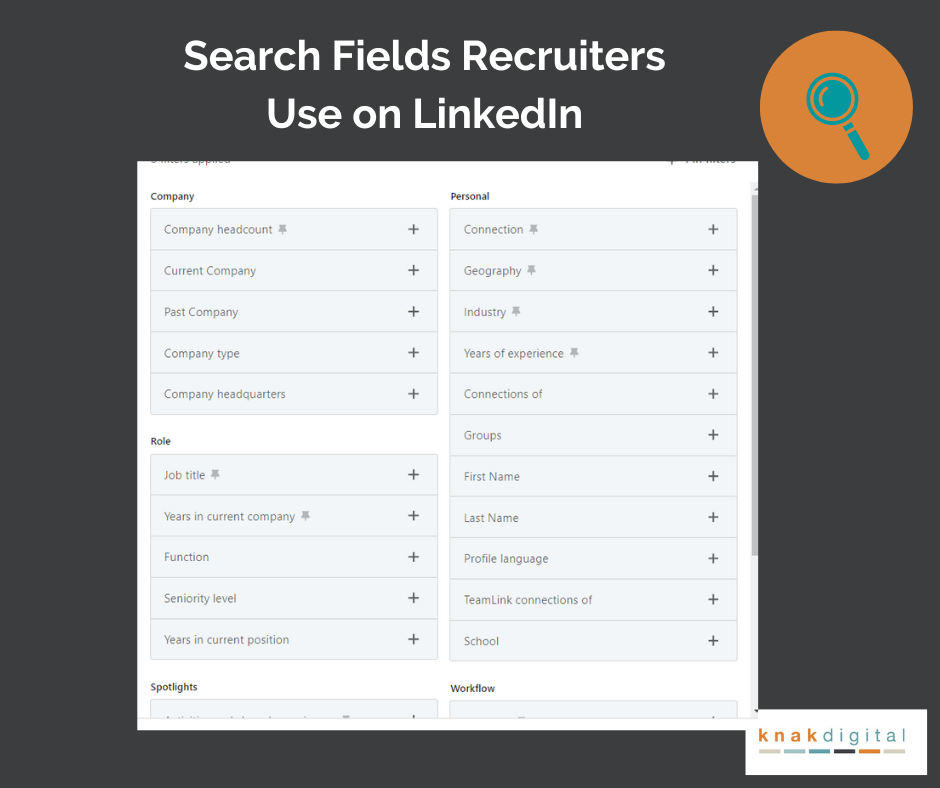
Fields that LinkedIn offers to search
I use the Premium LinkedIn tool, Sales Navigator, which allows me to search using the fields shown in the first slide below.
- Keywords
- Title
- Geography (with zip code radius selection)
- Industry
- Current and Past Company
- Education
- Skills
- Title
- Groups
- Experience
- Open to Work not here (feature for LinkedIn Recruiter model)
How you can Optimize your LinkedIn Profile
Location
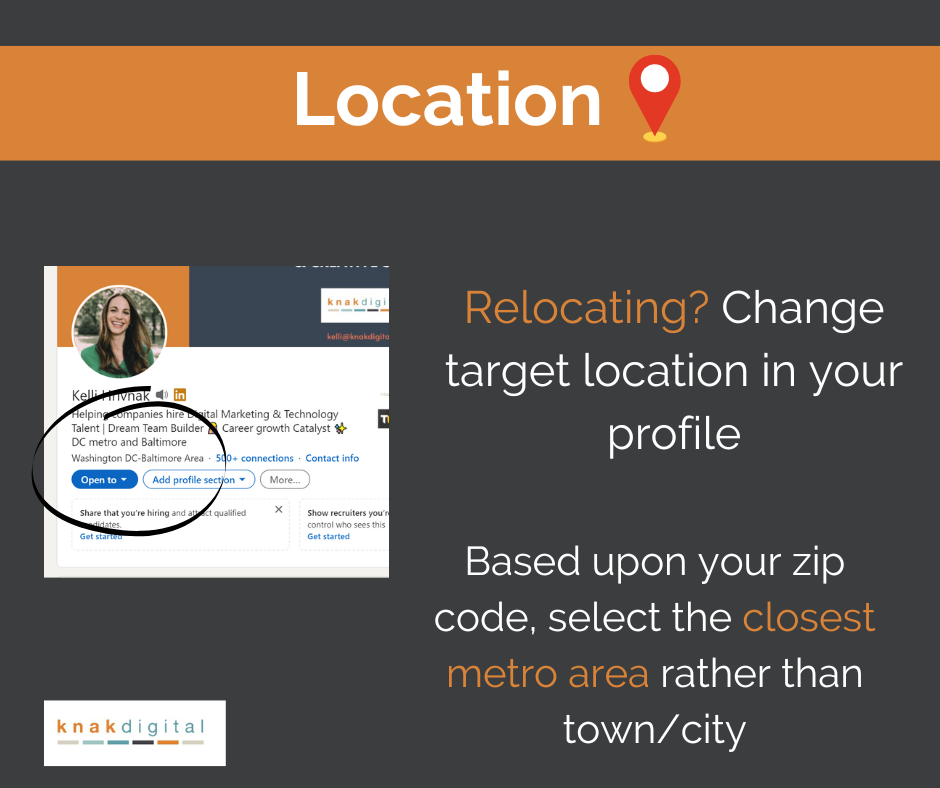
If a company is looking to hire a local candidate within commuting distance, they could be using a radius search by location. Users can search by by Region or Postal Code. The latter option enables a nuanced radius search, allowing users to filter results within 5, 10, 25, 35, 50, 75, and 100 miles.
To enhance your discoverability, consider selecting a broader metro area rather than specifying your exact city. For instance, instead of “Baltimore,” use “Washington DC-Baltimore” to increase your inclusion in wider-radius searches. If you are in the midst or open to relocation, set the targeted location as your geography so your visibility will be amplified in those geographical searches.
Keywords
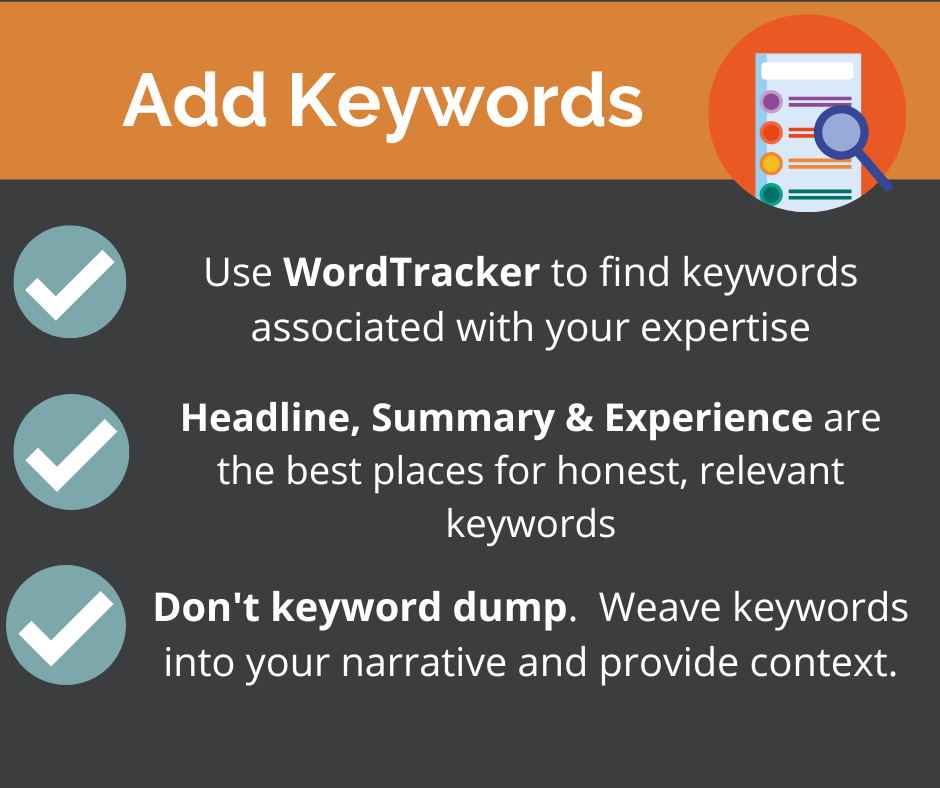
🔺I used to recommend using Google Keyword Planner and Wordtrack as a research tool, but I’d recommend looking at LinkedIn job descriptions, people who hold a similar job title, and professional associations to figure out patterns/words people are using to describe themselves. This may give you an idea of where you need to upskill if there are gaps.
🔺Use the language employers search for. If your profile says “Growth Leader” but employers search for “Demand Generation Director,” you may be reducing your visibility. Personal branding is important, but common industry titles and terminology should appear somewhere in your profile.
- What keywords do you not want to be found for? While I wouldn’t suggest omitting any prior work history, delete any skills or keywords that you have zero interest in leveraging in your future job. I talked to someone years ago who was fed up with recruiters constantly contacting him about Financial Planner jobs, even though he had held that position 10+ years earlier. I know — some recruiters will mass-message and overlook relevance altogether, but you can eliminate lazy outreach from recruiters by removing skills or titles that won’t transfer to your target job.
- Scope out your competition and conduct your own research. Run a search on Linkedin of people who possess the job you want. Specifically, pay attention to the first pages of the search results. (An article from 2018 cites that a LinkedIn user’s engagement can affect the search results). How is the algorithm prioritizing keywords?
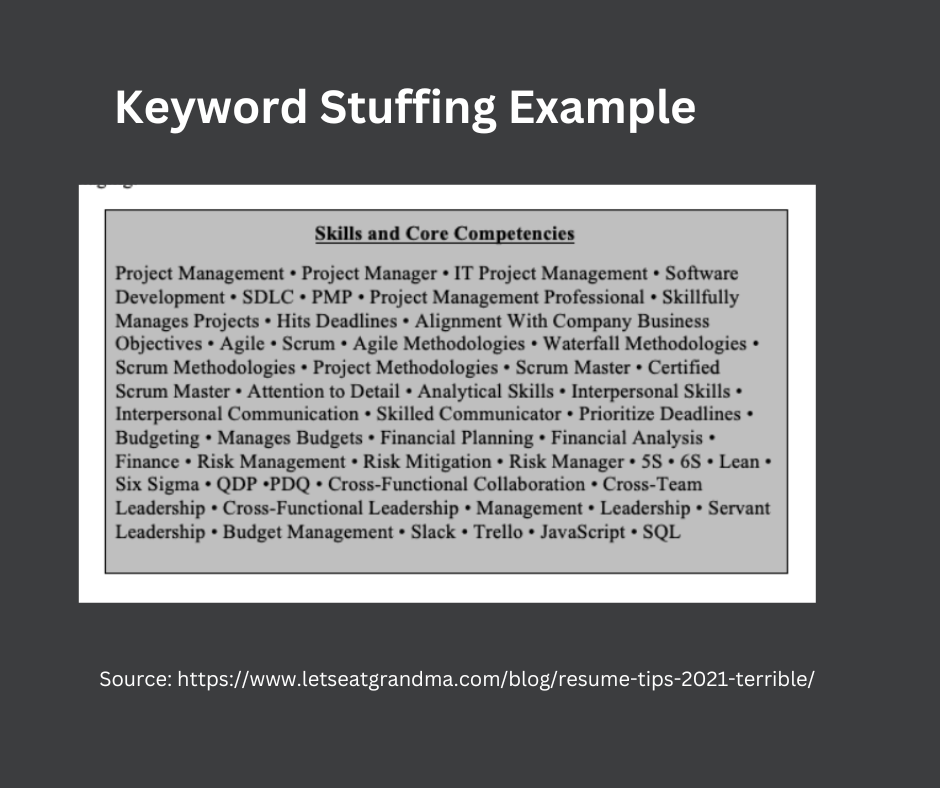
As with my advice on resume writing, do not keyword-stuff your profile. Weave and spread these keywords into your summary and experience section to provide context while increasing traffic to your page.
AI sourcing tools match on meaning, not exact strings. A profile that says “managed a 4-person paid media team and reduced CAC by 22%” will surface for more relevant searches than one that lists “team management, paid media, CAC” as disconnected skills. Context is doing more work now than keyword frequency alone.
Industry
- Companies could be prioritizing their search by industry experience. While you can include vertical exposure in your About and Experience section, you can choose an industry sector in your account settings.
- LinkedIn expanded their industry codes from 24 core functions to sub categories.. Pick one most important to you, and again–you can mention others in other areas. They will be expanding this to 400 soon.
Headliner
- A well-written headline helps recruiters and sourcing tools quickly understand what you do, making it more likely you’ll appear in relevant searches and receive outreach.
- Think like a recruiter, not a branding specialist. A recruiter will be using keywords like job title, skill-sets, certifications, companies etc. What they aren’t doing? Searching “helping companies increase revenue.“
- I’m not against USP (unique value props), but include this later in the headliner.
- My preference? “Job title” + company + (open to a variety here like skills, USP, fun add about personality, results/achievements, awards)
- If your current job title is vague or you are making a career pivot, include your target job title in your headliner.
- Open to work? I would recommend using the Open-To-Work banner rather than using text in the headliner space. Recruiters typically aren’t using “open to work” as a search term, but the banner is a visual cue to signal your active career search.
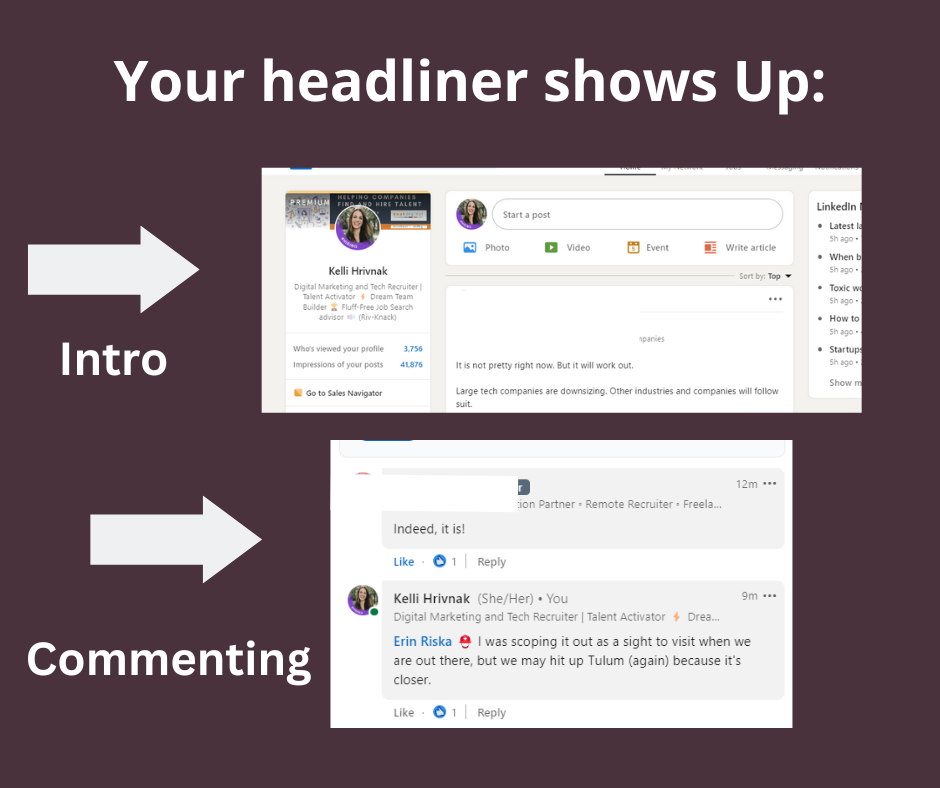
🔺Your headliner will be visible when you comment, invitations, “Who Viewed your Profile“, and in the intro section of your profile. You have 220-word limit. For the Free version of LinkedIn, also in search results (Sales Navigator shows title/company).
🔺Remember, a shortened version of your headliner will be visible when commenting (75 characters), sent invitation (80 characters), and in search results (82 characters).
Summary
- Recruiters will read this section. Again, we are looking for any indication of skill or experience that could be a match for a job we are looking to fill.
- I consider this your creative space; a place to tell your career journey. It’s not uncommon for people to follow a non-linear career path. We discover our strengths, values, and dislikes, and evolve our future plans for growth. If you are in a time of transitioning to a new career, this is an opportunity to communicate your transferrable skills.
- Include a CTA (call to action). This can include a portfolio link, email address, or phone number (Google Voice to disguise your mobile).
- I prefer the first-person over the third-person narrative. A third person may be appropriate for legal or finance.
- Did you stuff a bunch of keywords here? Recruiters and AI sourcing tools are increasingly looking beyond keyword matching alone. Use your Summary section to connect your skills, experience, industries, and accomplishments into a narrative that demonstrates how you’ve applied those capabilities.
Experience Section
- I’d argue this is the most important section to complete in your profile.
- All other elements of the profile represent your story–branding if intentional. The experience section demonstrates how you applied those keyword skills and what happened when you did. Context. Could you be qualified for the job?
- Similar to how I read a resume, I am looking for details around project work, task + results, industries, management, certifications, specific software tools, training, or promotions.
- Formatting with bulletpoints or sentences with breaks allows for easier readability.
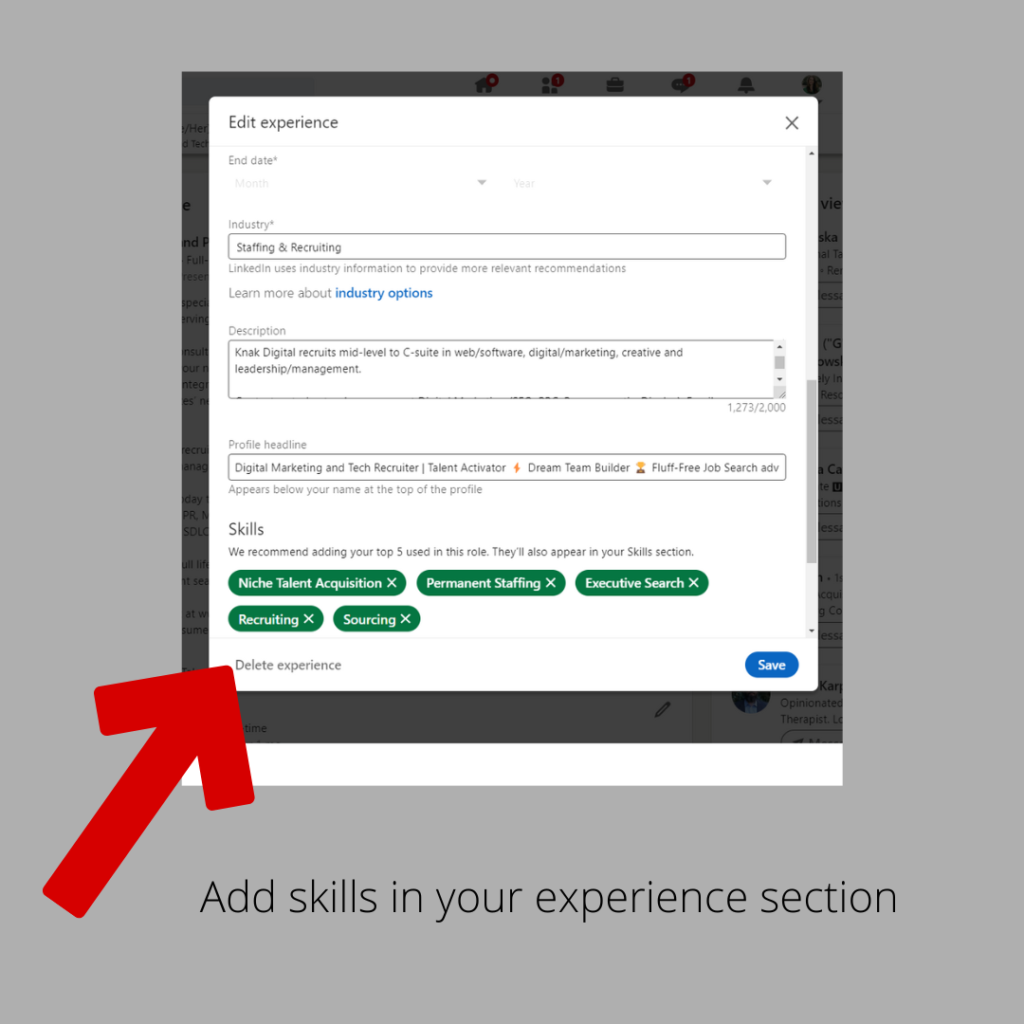
LinkedIn now allows you to add skills to each experience section, so be sure to add any tools or proficiencies here to show your expertise for each job title and company.
What else should you consider?
⭐A LinkedIn Allstar Status apparently increases your visibility. While the meter is no longer on display in your profile, read here on how to access your level. Hint: Look for the “Suggested for you” prompt.
What qualifies?
- Industry/Location
- 3 positions (including current). If you don’t have 3 job experiences, consider volunteering, freelance, or gap options.
- Education
- Skills (3 minimum)
- Profile Photo
- 50 Connections
Feature Section
- Right before your About section, you have the option to include clickable documents, URLS, LinkedIn posts, articles, photos, and presentations.
- If you have an online portfolio, here’s another place to drop that link. Were you featured in an article? Proud of a certification you just finished? This section is a visual highlight reel.
- In 2026, this section also signals to AI sourcing tools that you have a professional presence beyond the profile itself, which factors into how generative engines build a picture of who you are.
Contact Information
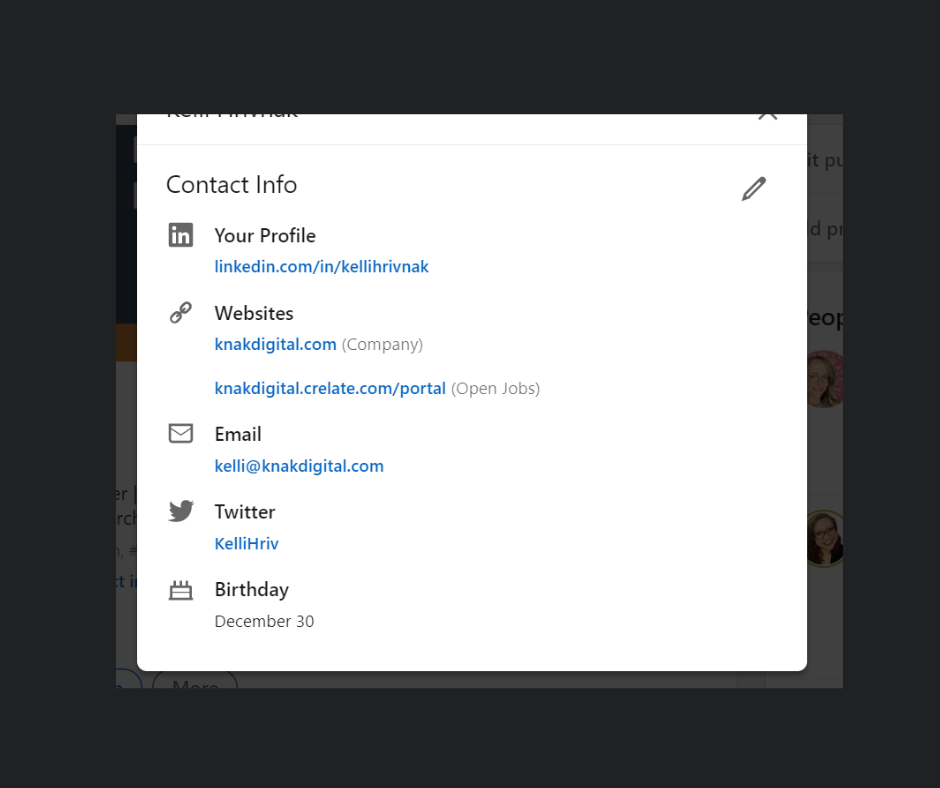
🔺If anyone is using Inmails, messages, or general invitations, your notifications will go to this email. If you using your work domain, remember this (especially if you fear that your employer is monitoring your emails).
🔺This article will show you how to adjust the visibility of your email. Consider a pseudo email strictly for LinkedIn outreach and messaging.
🔺Update all info here, from Website links (I see a lot of dead domains) to phone numbers.
🔺Consider a custom URL to help SEO.
Photo
Will adding a photograph increase the likelihood of someone reaching out to you?
Discrimination is real, unfortunately, and I’ve talked to people who omit or strengthen their privacy settings by design to hide their headshots on their profile. Take action based on your comfort level.
If you do use a photo, you can easily crank out a DIY iPhone session to create a valid headshot. Here is an article with some helpful tips!
What about AI Search aka GEO?
GEO (generative engine optimization) is referring to how your content, like your LinkedIn profile or any other online presence about you, surfaces by AI-powered tools.
According to SHRM, 2025 Talent Trends, 69% of HR professionals use AI to support recruiting. That could include sourcing strategy. So how does this impact your own job search “to be found” strategy?
Consistency across platforms. AI tools build a picture of you by aggregating mentions from LinkedIn, your personal site, your Substack, your socials, and anywhere else you appear online. If your title reads three different ways across three platforms, you’re sending conflicting signals. If you have AI engineer one place, and Web Developer another, your expertise could be scattered. LLMS tend to place more weight on structured profile data like job titles, skills, certs, industries, and employer names. Make sure those fields are all in alignment.
You need to exist in more than one place. LinkedIn alone is just not enough now. The more sources that describe you in consistent, specific terms, the more confidently a model surfaces you for a relevant query. Research from Princeton (Aggarwal et al., KDD 2024) found that structured, specific content increases visibility in generative engine responses by up to 40%. So this could include using stats, citations, direct quotes or a “decisive” tone.
If you have a personal site, check your robots.txt. GPTBot, PerplexityBot, and Google-Extended are the AI crawlers indexing content for tools like ChatGPT and Perplexity. If your site blocks them, you’re invisible to those tools. Make it a habit to “Google” yourself to discover what articles are being pulled into the top search results. You may not be able to control mentions of your name, but make sure the online properties that you do control are consistent.
Specificity is the unique differentiator. While iHire quoted that 30% of job seekers are now using AI to polish their profiles, I wouldn’t be shocked to see that number higher now. I’ve noticed that LinkedIn profiles are getting more generic. “Results-driven” and “life-long learner” aren’t adding any value. The real, specific detail that a model can’t generate for you is what makes you findable for the right search. So think about specific accomplishments, projects, publications, or even speaking engagements to give stronger proof.
In today’s competitive job market, having a well-optimized LinkedIn profile is more important than ever. This is a passive, one-stop effort that can generate inbound leads and increase your chances of being discovered by recruiters and potential employers.
- The Resume Rewrite Scam Targeting Job Seekers (And How to Spot It)
- The Backdoor Reference Check: Fair Game or Foul Play?
- How to Use AI to Discover Where You’re Actually Competitive in the Job Market
- How to Job Search Like a Headhunter (A Recruiter’s Playbook)
- Why Your 2026 Job Search Needs an Interactive Portfolio Chatbot