
Are you chasing job ads? Most people scour job boards only, looking for open roles. There is a proactive, better way. Reverse engineer the search: work backward, by researching and reaching out with value.
First, what information are you looking for to qualify a company?
- Company growth and financial health (funding, revenue trends, hiring velocity)
- Industry/verticals & products (what they sell, who they serve)
- Company size (org stage shapes the role)
- Culture (mission, values, social feeds, employee posts)
- Location & RTO stance (remote/hybrid/office-first)
Watch for “trigger events”
- New funding, leadership changes, product launches, big customer wins
- New office openings, notable policy shifts (e.g., RTO)
- Fast-growing teams, frequent headcount postings on the company site
𝗛𝗼𝘄 𝘁𝗼 𝘂𝘀𝗲 𝗟𝗶𝗻𝗸𝗲𝗱𝗜𝗻 𝘁𝗼 𝗰𝗼𝗺𝗽𝗶𝗹𝗲 𝘆𝗼𝘂𝗿 𝗹𝗶𝘀𝘁:
Use the top search bar to explore multiple fields, including company, people, posts, groups, events, and schools. (see slides for more)
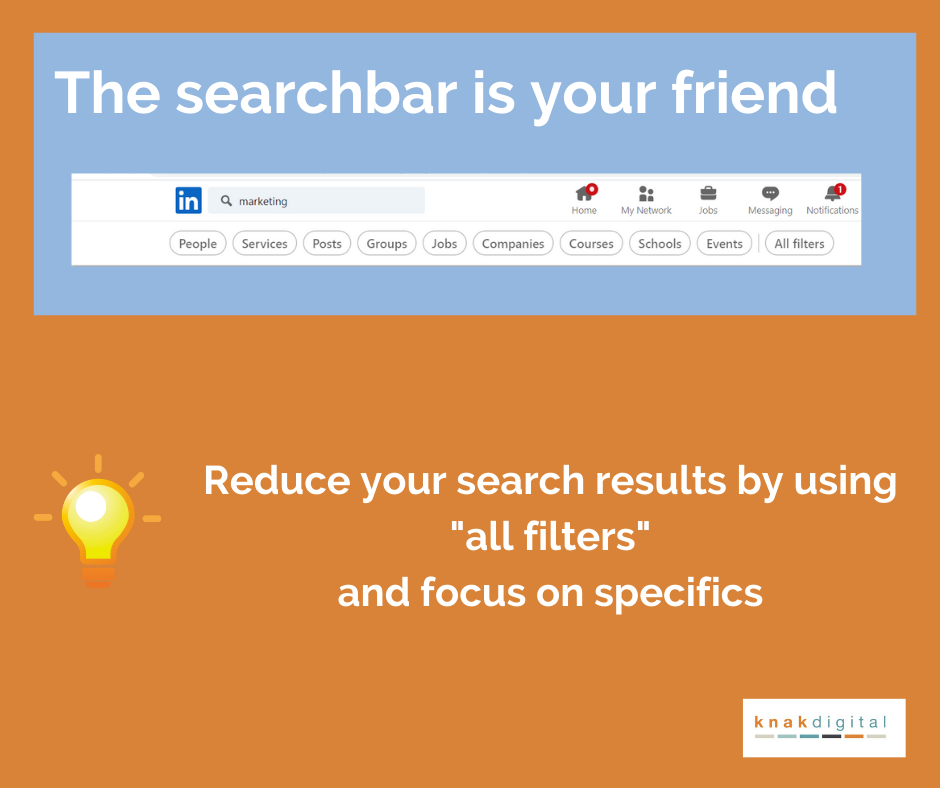

Use the company field to narrow in on specific industry, company size, and location.
Keyword search in the “Posts” field. Set “Latest.”
Employees of the target company may post job openings on their team (rather than paying for an ad on LinkedIn Jobs). Utilize the search bar and use the company as a keyword search term to discover openings and company news. Use keywords like “we’re hiring” or “I’m hiring”

Probe your 1st-degree connections, alumni, and second-degree bridges to hiring managers.

Review the competitors of the target company. On the company page, on the right-hand side there is a section titled “𝙋𝙖𝙜𝙚𝙨 𝙥𝙚𝙤𝙥𝙡𝙚 𝙖𝙡𝙨𝙤 𝙫𝙞𝙚𝙬𝙚𝙙.”

While LinkedIn Groups aren’t used to their full potential, but they are a tremendous resource for finding professionals (companies) with similar skills/interests.
Under “My Network,” scroll down to “Audio events for you” and “Online events for you.” This provides a list of attendees with the opportunity for an online networking event to meet other professionals virtually.
The “Schools” field displays the current activities and locations of former alumni, providing a networking opportunity.
You can run Boolean search strings to construct multiple options into your search. Here is an intro on how to get started. Ex: hiring AND (“project manager” OR PM) AND (“Washington DC” OR DMV) -recruiting -agency

Search by Job Title
In the top search bar type your targeted job title, like “machine learning engineer”
Set Location to [Your Metro] (e.g., “Washington, DC–Baltimore Area” or “Remote”) and identify companies that may be hiring your type of role. You may need to test different job titles, since this looks different at every company (even leveling.) Like in this case, “machine learning engineer” OR “ml engineer” OR “ai engineer” OR “applied scientist” OR “mlops engineer” OR “deep learning engineer” OR “computer vision engineer” OR “nlp engineer”

Engagement Ideas for your contacts
Less is more. Choose one or two methods below, keep messages under 100 words, and focus on being genuinely helpful rather than pitchy.
1. The Micro-Audit Message
Best for: When you spot obvious improvement opportunities
Send a quick LinkedIn DM or email with the subject line “3 quick UX wins on your pricing page.” Here’s the formula:
Start with a relevant trigger (new product launch, website refresh), then offer 2-3 specific, actionable insights. Frame it as “I noticed X and did a quick 10-minute review—here are three low-effort fixes that could boost conversion.” Always end with a soft offer to provide more detail if they’re interested.
2. Metric-based
Best for: When you have relevant experience with similar challenges
Lead with concrete results: “Idea to cut [specific metric] by ~X%.” Share a brief case study from your experience, then connect it to their situation. The key is being specific about numbers and timelines. Offer to share a one-page breakdown, but make it clear there’s no pressure to respond.
3. Slide into the DMs
Best for: Building on public engagement
Start by adding value in the comments of their LinkedIn post or article. Share a useful tip or insight publicly first. Then follow up privately the same day, offering to expand on your comment with additional resources like checklists or walkthroughs.
4. The Warm Introduction
Best for: When you have mutual connections
Ask your mutual contact to make an introduction (only if they are comfortable). Prepare a concise blurb highlighting relevant results you’ve achieved and specific ideas you’ve developed for their situation.
Track your Activity
Use a tracker to log the activity of outreach, along with the identified contacts within each company. Break down micro-activity such as what you have completed along with future outreach for each contact.
Don’t wait for the perfect job ad. Define your targets, watch for triggers, warm the room, then show up with value. That’s how you take control of your search, and get in early, before the posting even exists.
- How to Use AI in Your Job Search: 9 Practical Strategies From a Recruiter
- Do You Need an Embedded Recruiter or a Project Search?
- Recruiters Are Using AI to Source. Your LinkedIn Profile Isn’t Built for That Yet
- The Resume Rewrite Scam Targeting Job Seekers (And How to Spot It)
- The Backdoor Reference Check: Fair Game or Foul Play?